Desktop Insecurity
:
Take a moment to assess exactly how much of your personal information is stored either on your own computer or on someone else's system. Do you use electronic banking, make online credit card purchases, submit your annual income tax forms electronically?

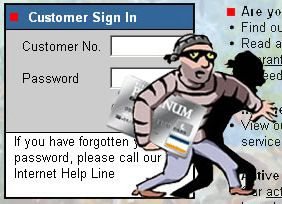
Along with these conveniences there are serious risks and dangers involved in relying heavily on the computer in your daily life. Among these dangers are viruses erasing your hard-drive, someone breaking into your system and altering files, someone using your computer to attack others, or someone stealing your credit card information and making unauthorized purchases.
At a minimum you should take these three important measures to protect your personal data and prevent attacks.

Know thy enemy
Viruses - This type of malicious code requires you to actually do something before it infects your computer. This action could be opening an email attachment or going to a particular web page.
Worms - Worms propagate without user intervention. They typically start by exploiting a software vulnerability (a flaw that allows the software's intended security policy to be violated), then once the victim computer has been infected the worm will attempt to find and infect other computers. Similar to viruses, worms can propagate via email, web sites, or network-based software. The automated self-propagation of worms distinguishes them from viruses.
Trojan horses - A Trojan horse program is software that claims to be one thing while in fact doing something different behind the scenes. For example, a program that claims it will speed up your computer may actually be sending confidential information to a remote intruder.
Scary? - It certainly is.
[See also: Preying on the Un-informed]
.
Take a moment to assess exactly how much of your personal information is stored either on your own computer or on someone else's system. Do you use electronic banking, make online credit card purchases, submit your annual income tax forms electronically?
Along with these conveniences there are serious risks and dangers involved in relying heavily on the computer in your daily life. Among these dangers are viruses erasing your hard-drive, someone breaking into your system and altering files, someone using your computer to attack others, or someone stealing your credit card information and making unauthorized purchases.
At a minimum you should take these three important measures to protect your personal data and prevent attacks.
-1- Scan your computer regularly by running the most updated anti-virus software.
-2- Tweak weak passwords
Password "cracking" is a favorite activity of people who get their kicks breaking into hard drives and computer systems in order to perpetrate identity theft and other harmful pranks on the unsuspecting victim(s). The most effective tool to do it with are "Cracking dictionaries". This software can try not only every English dictionary word, but also names, phrases, slang words, substitutions (e.g., "time2go"), common abbreviations and a surprising number of other obscure sequences and strings. To protect yourself, tweak your weak passwords by using a combination of at least three of the following: UPPERCASE (A-Z), lowercase (a-z), digits (0-9), and special characters (@#$%&*, etc.).
-3- Trash-can suspicious e-mails
E-mail attachments can carry a variety of "malware", such as viruses, trojans, worms and "backdoor" programs, just waiting for you to set it loose by opening the attachment. Malware often comes with the filename extensions .exe, .pif, .scr or .vba (this is not a complete list, though). One of the favorite tricks of virus writers is to hide the virus in an attachment that, when run, produces a clever or entertaining animation on the screen that people like to forward on to all their friends thereby unknowingly spreading the 'disease' like wildfire...
Know thy enemy
Viruses - This type of malicious code requires you to actually do something before it infects your computer. This action could be opening an email attachment or going to a particular web page.
Worms - Worms propagate without user intervention. They typically start by exploiting a software vulnerability (a flaw that allows the software's intended security policy to be violated), then once the victim computer has been infected the worm will attempt to find and infect other computers. Similar to viruses, worms can propagate via email, web sites, or network-based software. The automated self-propagation of worms distinguishes them from viruses.
Trojan horses - A Trojan horse program is software that claims to be one thing while in fact doing something different behind the scenes. For example, a program that claims it will speed up your computer may actually be sending confidential information to a remote intruder.
So, don't delay: research, implement and install the most effective counter-measures to protect yourself before it's too late and the damage has been done.
[See also: Preying on the Un-informed]
.
Labels: Amalgamated Perspectives, data, desktop, email, global, information, Internet, media, risk, security, www
0 comment(s) so far - Click here to leave your feedback: We want to hear from you